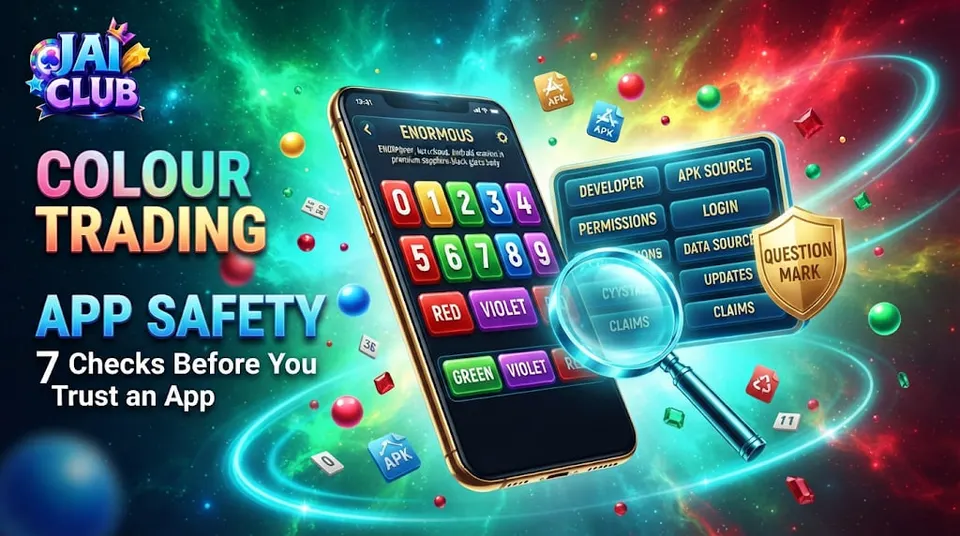
Seven Safety Checks for a Colour Trading App on Android
Learn how to evaluate an unfamiliar Colour Trading Android app by checking publisher identity, APK source, permissions, updates, login security and misleading prediction claims.
In this article
- Why Does Colour Trading App Safety Matter?
- 1. Check the App Publisher
- 2. Verify the APK Source
- 3. Review Android Permissions
- Colour Trading App Permissions Kya Check Kare?
- 4. Examine Login and OTP Requests
- 5. Understand the Data Source
- 6. Check Updates and App Versions
- 7. Evaluate Prediction and Earnings Claims
- EXAMPLE: App Evaluation Table
- App Safety vs Game Fairness
- Can a Website Be Safer Than an APK?
- EXAMPLE: Same Design, Different Publisher
- Why App Reviews Are Not Complete Security Audits
- What About an App That Uses WebView?
- How to Recognise an Unsupported Guarantee
- Protecting Personal Information
- Frequently Asked Questions
- Is every Colour Trading APK unsafe?
- Is a Jai Club logo proof of an official app?
- Should a prediction app request account OTPs?
- Does a high app rating prove security?
- Can an app display historical results without predicting the future?
- Is a newer APK automatically safer?
- Are AI Colour Trading predictions guaranteed?
- What is the most important safety check?
- Conclusion
A Colour Trading app can display attractive number buttons, recent results and familiar branding without proving that the software is authentic or secure.
People researching Jai Club Colour Trading app safety should examine more than the app's appearance. The software publisher, installation source, Android permissions and treatment of login information all matter.
An unfamiliar APK may also advertise prediction tools or additional features. Those claims should be evaluated separately from software security.
This guide presents seven practical checks for understanding potential risks. It does not claim that a particular Jai Club application has been security-audited or that every third-party Colour Trading app is unsafe.
Why Does Colour Trading App Safety Matter?
An Android application can interact with device storage, network services and other resources according to its permissions and implementation.
The software may also display information that encourages users to enter account credentials.
A familiar interface does not independently establish that the developer can be trusted.
For example, an app containing Red, Green and Violet buttons may simply imitate a popular visual design.
The application should be evaluated through its actual source and behaviour rather than its appearance alone.
1. Check the App Publisher
The first question is who developed and maintains the software.
A credible publisher should provide identifiable information about the application and its purpose.
However, a developer name displayed on a website is not automatically proof of identity.
The relationship between an app and the service it claims to represent should be independently verified.
A copied Jai Club logo does not establish an official relationship.
The same applies to familiar names in an APK filename.
Software identity depends on more than branding.
2. Verify the APK Source
APK is an Android application package format.
An unfamiliar APK distributed through an unknown website or messaging group should not automatically be trusted.
Two packages can display the same app name while containing different software.
A user should therefore consider the publication source, developer identity and update mechanism.
The ability to install an APK is not evidence that it is authentic.
Similarly, the words official, latest or secure in a filename do not prove those claims.
This article does not provide or authenticate APK downloads.
3. Review Android Permissions
An Android app may request permissions to use certain device capabilities.
The requested access should make sense in relation to the app's functions.
For example, a simple historical-result viewer should be able to explain why it needs access beyond ordinary display and network functions.
An unusual permission request does not automatically prove malicious behaviour.
However, unexplained access to sensitive information deserves careful scrutiny.
The exact permission list should come from the installed software, not from assumptions about a similarly named application.
Colour Trading App Permissions Kya Check Kare?
Different Android versions use different permission controls.
Some capabilities require explicit user approval, while others follow different platform mechanisms.
A privacy review should consider what information the app accesses and why.
For example, a request related to notifications serves a different purpose from access to contacts or accessibility services.
An app can also use embedded web content that introduces additional security considerations.
For more context, read Jai Club App Permissions and Android Privacy Settings.
4. Examine Login and OTP Requests
Passwords and one-time passwords are sensitive authentication information.
An unfamiliar prediction or analysis app should not automatically be trusted with credentials for another service.
For example, a tool claiming to display historical colour results may not have a legitimate reason to request a private account OTP.
However, authentication needs depend on the actual service.
The important question is whether the login process belongs to a verified provider.
A page that looks familiar is not enough.
Account access should be distinguished from ordinary game-result information.
5. Understand the Data Source
A Colour Trading app may display completed digits, colour labels and historical charts.
Those records could come from different sources.
For example, an application might use manually entered information or another public-facing result display.
The origin and completeness of the data affect the reliability of its statistics.
A dashboard showing accurate historical information is not automatically capable of predicting future results.
The application should clearly distinguish recorded outcomes from forecasts.
A history chart is a descriptive tool unless predictive ability has been established separately.
6. Check Updates and App Versions
An application's version number can help identify its release.
However, a higher version label does not automatically mean that the software is safer.
An update might contain interface changes, bug fixes or additional features.
The important question is whether the release comes from a trustworthy publisher and whether its changes are documented.
An app claiming to be Version 5 or Version 10 does not prove that its security or prediction accuracy has improved.
An unverified update source deserves the same scrutiny as the original installation package.
7. Evaluate Prediction and Earnings Claims
Some Colour Trading apps advertise guaranteed signals, high accuracy or unusual access to game results.
These are claims requiring evidence.
A screenshot displaying a correct result is not proof that the result was predicted before the round ended.
A reliable prediction evaluation would need complete forecasts, genuine timestamps and corresponding outcomes.
The test should also include unsuccessful predictions.
Software security and prediction accuracy are separate questions.
A tool could be technically functional while making unsupported claims about its forecasting performance.
EXAMPLE: App Evaluation Table
Consider a fictional application called Demo Colour Results.
| Check | Fictional observation | Interpretation |
|---|---|---|
| Publisher | Not clearly identified | Identity remains unverified |
| APK source | Unknown sharing link | Source needs verification |
| Permissions | Several requested | Purpose must be examined |
| Login | Requests account OTP | Sensitive authentication concern |
| Historical data | Displays recent digits | Not proof of forecasting ability |
| Updates | Claims Version 5 | Version alone proves little |
| Accuracy | Advertises 95% | Requires complete testing records |
EXAMPLE ONLY: This is an invented application for educational comparison, not an accusation against a real product.
The table demonstrates why app evaluation should consider several independent factors.
No single decorative badge or large accuracy percentage resolves all the questions.
App Safety vs Game Fairness
Software safety concerns issues such as authenticity, permissions and handling of personal information.
Game fairness concerns the rules and processes used to generate outcomes.
These are different topics.
For example, a secure application does not automatically establish that an advertised prediction method works.
Likewise, the presence of a clear result-history table does not independently verify the game's mathematical model.
Each claim needs evidence appropriate to the question.
Can a Website Be Safer Than an APK?
There is no universal answer.
A legitimate, maintained Android app can implement strong security controls.
A trustworthy website can also protect its users appropriately.
However, malicious websites and malicious APKs both exist.
Safety depends on the exact software and service rather than simply choosing browser or application access.
A browser and an app can also handle permissions and stored sessions differently.
The software origin is important in both environments.
EXAMPLE: Same Design, Different Publisher
Imagine two fictional Colour Trading applications with nearly identical home screens.
Both display glossy number buttons and a familiar gaming logo.
App A is distributed by an identifiable developer.
App B is offered through an unrelated file-sharing link with no reliable publisher information.
Their visual similarity does not establish that they have the same origin or security properties.
The example illustrates why a screenshot cannot authenticate software.
Publisher and package information matter more than decorative design.
Why App Reviews Are Not Complete Security Audits
A positive review may describe a person's experience with an application.
It does not necessarily include an examination of code, network behaviour or permission handling.
A review can also be incomplete, outdated or unrelated to the current release.
Therefore, high ratings or enthusiastic comments should not replace software verification.
The same applies to promotional videos.
A video showing an app opening successfully does not prove that its data handling is secure.
What About an App That Uses WebView?
Some Android applications display web content through an embedded browser component called WebView.
Such a design can make an installed app look similar to a mobile website.
However, WebView use alone does not establish that the software is safe or unsafe.
Security depends on implementation, loaded content and how native capabilities are exposed.
The relationship between the application and any loaded website should also be understood.
A familiar interface does not identify the underlying security architecture.
How to Recognise an Unsupported Guarantee
An app may advertise that it knows the next Red, Green or Violet result.
However, previous colour sequences do not automatically reveal future independent outcomes.
A claim of reliable prediction should be tested using complete forecasts made before the outcomes became known.
A publisher showing only successful examples does not provide a meaningful hit rate.
Likewise, a claimed AI model is not proof of future accuracy.
The existence of software does not establish the truth of every statement displayed inside it.
Protecting Personal Information
Screenshots, account identifiers and verification codes can reveal sensitive information.
Users should avoid sharing passwords, OTPs or session-related data with unknown applications.
A screenshot intended to document a technical issue should not expose unrelated account information.
If an unfamiliar app requests unexpected sensitive access, the reason should be verified before granting it.
A professional-looking gaming interface is not a substitute for privacy safeguards.
Frequently Asked Questions
Is every Colour Trading APK unsafe?
No universal conclusion can be made. Each application's origin, permissions and behaviour must be evaluated.
Is a Jai Club logo proof of an official app?
No. A logo can be copied and does not independently prove affiliation.
Should a prediction app request account OTPs?
Unexpected requests for sensitive credentials deserve careful verification.
Does a high app rating prove security?
No. Ratings and security audits are different forms of evidence.
Can an app display historical results without predicting the future?
Yes. Historical data display and forecasting are different functions.
Is a newer APK automatically safer?
No. Version numbers alone do not establish software security.
Are AI Colour Trading predictions guaranteed?
No reliable guarantee follows from the AI label.
What is the most important safety check?
The software's authentic source and how it handles sensitive information are fundamental considerations.
Conclusion
Colour Trading app safety should be evaluated through publisher identity, APK source, permissions, authentication and trustworthy software updates.
Prediction claims also need independent evidence rather than attractive dashboards or selected screenshots.
Understanding these differences helps readers distinguish software legitimacy, privacy and claimed forecasting ability without treating them as the same issue.
Editorial disclosure: No specific Colour Trading APK was installed, security-tested or identified as malicious for this guide.
Disclaimer: JaiClubGame.online is an independent educational website. It does not distribute, authenticate or endorse third-party Colour Trading applications.