Same Game, Different Loading: Android App vs Browser Explained
Understand why the same game may load differently in an Android app and mobile browser, including WebView, cached files, device resources, login sessions and network behaviour.
In this article
- Why Can the Same Game Load Differently?
- Native App vs Browser Game
- What Is Android WebView?
- App vs Browser Loading Comparison
- EXAMPLE: Two Different Loading Experiences
- Why Cached Files Matter
- Does More Cache Always Mean Faster Loading?
- Why Login Sessions Can Differ
- Device Performance and Rendering
- Does Network Speed Affect Both?
- Game Screen Opens but Results Stay Blank
- Does a Faster Interface Produce Different Results?
- EXAMPLE: Same Period, Different Screen State
- Can an App Update Improve Loading?
- How to Compare Loading Fairly
- What Is the Difference Between Loading and Result Timing?
- Frequently Asked Questions
- Why does a game load faster in Chrome than in an Android app?
- Is WebView the same as Chrome?
- Does clearing cache always improve performance?
- Can an app and browser use separate login sessions?
- Does slow loading change the final game result?
- Why do game graphics appear before the results?
- Is an installed app always faster than a website?
- Does JaiClubGame.online verify app performance?
- Conclusion
The same online game can load quickly in Chrome but take longer inside an Android application. Sometimes the opposite happens.
This does not automatically mean the two interfaces use different game rules or connect to different result-generation systems.
The loading experience depends on several technical factors, including how the software displays web content, which resources are already stored, the device's processing capabilities and the network connection.
For readers comparing Jai Club Game access through Android apps and browsers, understanding these differences helps explain why two screens can behave differently.
This guide examines the technology behind loading without claiming to have measured a specific Jai Club application's performance.
Why Can the Same Game Load Differently?
An online game contains several components.
The interface may need to download graphics, scripts, sound effects and game-related information.
An installed application can bundle some resources locally.
A browser-based version may instead download or cache them.
However, an installed app can also load remote content through WebView.
Therefore, the words app and browser do not reveal everything about the software.
The specific architecture determines which resources must be loaded and how they are displayed.
Native App vs Browser Game
A native Android application contains software designed to run within the Android environment.
A browser game uses web technologies delivered through a website.
However, these categories can overlap.
For example, an Android application might use native navigation controls while displaying the actual game through embedded web content.
This is often described as a hybrid application.
A browser and hybrid app can show very similar game screens while handling storage and rendering differently.
What Is Android WebView?
WebView is a component that allows Android applications to display web content within an app interface.
For example, a game platform might open a provider's content inside a WebView rather than launching Chrome.
The user sees the game inside the installed application.
However, the content may still rely on web scripts, assets and network communication.
The WebView environment may use storage separate from the user's normal Chrome profile.
This can influence login sessions and cached resources.
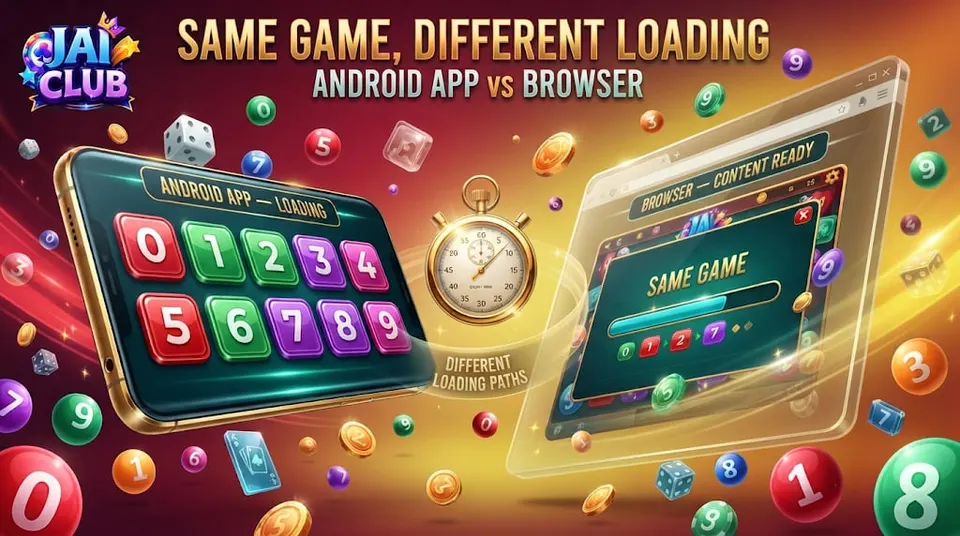
App vs Browser Loading Comparison
| Component | Android app | Mobile browser |
|---|---|---|
| Installed resources | May include bundled files | Uses browser and downloaded website resources |
| Web content | May use WebView | Runs within browser |
| Cached assets | App-specific | Browser-managed |
| Login state | App session or embedded session | Browser session |
| Rendering | Native, web or hybrid | Web rendering |
| Network dependency | Implementation-dependent | Implementation-dependent |
Neither approach is universally faster.
Performance depends on the actual software.
EXAMPLE: Two Different Loading Experiences
Consider a fictional game called Demo Colour Wheel.
| Stage | Android app | Chrome |
|---|---|---|
| Main interface appears | 2.5 seconds | 1.8 seconds |
| Game graphics become visible | 4.2 seconds | 3.0 seconds |
| Result panel becomes visible | 5.0 seconds | 3.8 seconds |
EXAMPLE ONLY: These are invented measurements, not real Jai Club performance data.
Chrome is faster in the example, but that does not establish a universal rule.
Another device or session might produce the opposite result.
Why Cached Files Matter
Caching allows software to store resources for later use.
For example, an image or stylesheet may already exist in local storage.
The application may then avoid downloading that resource again.
This can reduce loading time.
However, outdated or incompatible cached files may also contribute to display problems.
A cache issue should not automatically be assumed whenever loading is slow.
The relevant software and resources must be identified.
Does More Cache Always Mean Faster Loading?
No.
Caching can improve performance when stored resources are valid and useful.
However, other factors may dominate loading time.
A game might still require network data even if its graphics are cached.
Likewise, a large downloaded file may take time to process after it arrives.
The browser or app may also have to initialise scripts and render complicated animations.
Therefore, cache size alone is not a reliable performance measurement.
Why Login Sessions Can Differ
An Android app and Chrome may maintain different authenticated sessions.
For example, a user could already be signed in through the app but remain signed out in the browser.
The additional authentication step may affect the perceived loading experience.
However, separate sessions do not necessarily indicate separate accounts.
The actual account records may be maintained remotely.
A login screen appearing in one environment does not prove that game data has been lost.
Device Performance and Rendering
A game screen can contain animated backgrounds, number buttons, sound effects and other graphical elements.
Rendering these elements requires device resources.
For example, an older device may struggle with a complicated animation even when the network connection is stable.
A powerful device may render the same game more smoothly.
However, poor rendering performance does not automatically establish that the underlying result arrived late.
Animation and authoritative game records are different components.
Does Network Speed Affect Both?
Yes, depending on what each interface downloads.
A browser and app may contact remote services to retrieve game content.
However, they may use different caching or loading strategies.
One interface could load a larger amount of data than another.
This means identical internet connections do not guarantee identical loading times.
The relevant measurement is the complete loading process, not only the advertised network speed.
Game Screen Opens but Results Stay Blank
A game interface may finish loading its graphics before the result panel receives updated information.
For example, the number grid could appear while the latest completed period remains unavailable.
This does not automatically mean the game has stopped operating.
It may involve delayed data retrieval, a display problem or another condition.
The exact cause requires verification.
An empty result field should not be interpreted as a numerical result of zero.
Does a Faster Interface Produce Different Results?
Not automatically.
If an app and browser display the same provider-managed game, mode and completed period, they may refer to the same underlying outcome.
However, this relationship must be established rather than assumed.
Two interfaces using similar graphics could also belong to different software publishers.
A faster loading time is not evidence of a different random-number algorithm.
The game identity and event record matter more than animation speed.
EXAMPLE: Same Period, Different Screen State
Imagine two fictional devices displaying period DEMO-G301.
Device A has already loaded the completed result of 7.
Device B still displays a loading indicator for that period.
The visual states differ.
However, Device B has not necessarily received a different result.
It may simply lack the updated display information.
The completed period identifier is necessary for a meaningful comparison.
Can an App Update Improve Loading?
A software update may address performance or compatibility problems.
However, a newer version is not guaranteed to load faster.
For example, a new release could introduce more complex graphics that require additional resources.
The application might also change its network or caching behaviour.
Without release documentation or controlled performance testing, the effect cannot be established.
A version number alone is not evidence of improved performance.
How to Compare Loading Fairly
A useful comparison should identify the exact game and version.
Both interfaces should use the same network conditions where practical.
The device, browser version and application version should be recorded.
The definition of loaded should also remain consistent.
For example, one test might measure the appearance of the first graphic.
Another might measure the time until the full game interface is interactive.
Those are different measurements.
A fair comparison should not combine them.
What Is the Difference Between Loading and Result Timing?
Loading time concerns how quickly the interface becomes usable.
Result timing concerns when an actual game outcome is generated, recorded or displayed.
A game can load quickly while showing an earlier completed result.
Another can load slowly but eventually retrieve the correct history.
The two issues should not be confused.
For further comparison of mobile access, read Colour Trading Website vs App.
Frequently Asked Questions
Why does a game load faster in Chrome than in an Android app?
Possible reasons include different caching, rendering, resources and software architectures.
Is WebView the same as Chrome?
No. WebView is an embedded web component with a potentially different storage context.
Does clearing cache always improve performance?
No. Its effect depends on the actual issue and software.
Can an app and browser use separate login sessions?
Yes. Their stored authentication states may differ.
Does slow loading change the final game result?
No such conclusion follows from loading time alone.
Why do game graphics appear before the results?
Different interface components may load or update at different times.
Is an installed app always faster than a website?
No. Neither delivery method is universally faster.
Does JaiClubGame.online verify app performance?
No. It is an independent educational website, not a software-testing provider.
Conclusion
Android apps and mobile browsers can display the same game differently because they use different storage, rendering and loading mechanisms.
WebView, caching, network conditions and device resources all affect the experience.
However, a faster or slower interface does not automatically prove that game results or rules differ.
Editorial method: All performance measurements and game identifiers are fictional. No specific Jai Club APK or live game-loading session was independently benchmarked.
Disclaimer: JaiClubGame.online is an independent educational website.