Why Does a WinGo App Open the Game Inside a Browser?
Understand why a WinGo application may open game content through Chrome, an embedded WebView or another browser component, and how this affects storage and updates.
In this article
- What Happens When an App Opens Web Content?
- What Is Android WebView?
- WebView vs External Browser
- EXAMPLE: Two Ways to Open the Same Game
- Why a Game Might Redirect to Chrome
- Can Game Content Change Without an APK Update?
- What About Browser Cache?
- Is a Browser-Based WinGo Game Official?
- Frequently Asked Questions
- Why does WinGo open Chrome?
- What is WebView?
- Is WebView the same as Chrome?
- Does browser access change the result probability?
- Can game content update without a new APK?
- Is every WinGo App based on WebView?
- Conclusion
A WinGo App may appear to be a normal Android application while some of its game content is displayed through a browser or embedded web technology.
For example, an application might open a page inside WebView, while another may redirect to Chrome or the device's default browser.
This behaviour is not automatically an error. It may reflect how the software was designed.
However, a browser-like interface does not prove that every WinGo-branded APK uses the same technology.
This guide explains native apps, embedded web content, sessions and the differences between opening a game inside an app and opening it through a separate browser.
What Happens When an App Opens Web Content?
Android software can display web pages using several mechanisms.
An application can open an external browser or incorporate an embedded browser component.
In some cases, native buttons and navigation elements surround remotely delivered game content.
The user may therefore see an installed app while the game itself uses web technologies.
This arrangement is sometimes called a hybrid application.
However, the exact architecture of any Jai Club-branded APK requires verification.
What Is Android WebView?
WebView is an Android component that allows applications to display web content inside their own interface.
For example, a developer may create native navigation menus while loading a game page within WebView.
The content might look similar to what appears in Chrome.
However, WebView and Chrome do not necessarily share the same session storage.
An embedded game screen is also not proof that an application is trustworthy.
Software identity and implementation still matter.
WebView vs External Browser
| Feature | Embedded WebView | External browser |
|---|---|---|
| Display | Inside the application | Separate browser environment |
| Navigation | Often controlled by host app | Controlled by browser |
| Session storage | App-associated context | Browser-associated context |
| Update method | App plus remote content | Browser and website updates |
| Security | Depends on implementation | Depends on browser and website |
Neither method automatically establishes a game's mathematical rules or result authenticity.
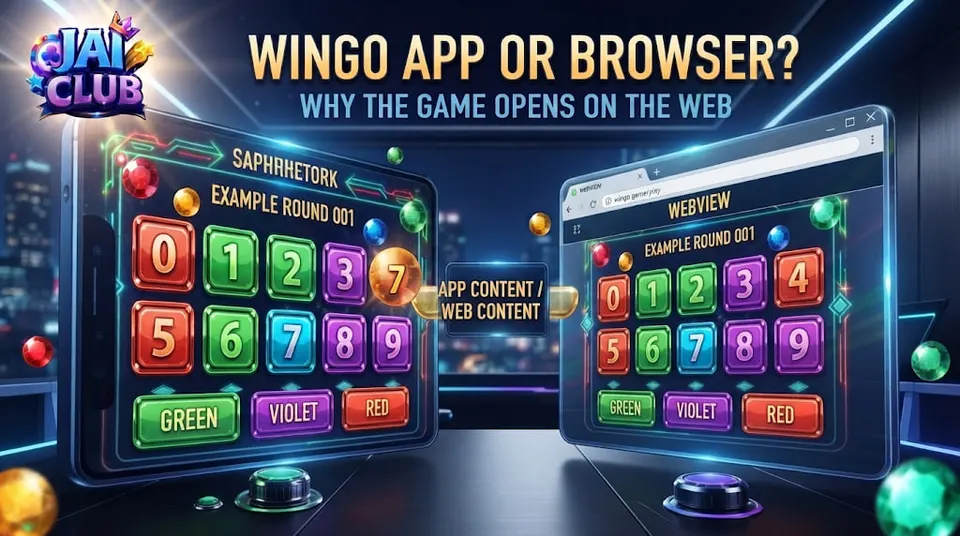
EXAMPLE: Two Ways to Open the Same Game
Consider a fictional game called Demo WinGo.
Version A opens a page inside an Android application's WebView.
Version B opens the page in Chrome.
Both may show the same number grid and completed result history.
However, the user could be signed in through one context and signed out in the other because their sessions are stored separately.
EXAMPLE ONLY: This illustrates a possible software arrangement, not verified Jai Club implementation.
Why a Game Might Redirect to Chrome
An application may deliberately use an external browser for certain content.
For example, a developer might prefer to open a hosted page instead of maintaining an embedded web interface.
However, an unexpected redirect could also reflect a configuration or implementation issue.
The redirect's destination matters.
A familiar app icon does not establish that the website opened is legitimate.
The actual application and destination must be assessed before drawing conclusions.
Can Game Content Change Without an APK Update?
Yes, in software that loads content remotely.
For example, a web-based game can update its interface without changing the installed Android package.
However, an app may still need a software update for other functionality.
This means the application version and game content version can differ.
A new game icon does not automatically imply a new mathematical outcome model.
Visual content and game rules must be evaluated separately.
What About Browser Cache?
Browsers and embedded web components can store temporary resources.
These may include images, scripts and stylesheets.
Caching can improve loading performance, but it can also contribute to outdated visual elements in certain circumstances.
An older cached interface is not necessarily evidence that an authoritative completed game result changed.
The record and display should be distinguished.
For related information, read Jai Club Colour Trading Website vs App.
Is a Browser-Based WinGo Game Official?
The use of a browser does not establish whether a service is official.
A legitimate provider can use web technologies, while an unverified third-party website can imitate a game.
The publisher, domain and relevant software identity matter.
Similarly, the use of WebView does not establish access to secret future game outcomes.
A familiar number grid is only an interface.
Frequently Asked Questions
Why does WinGo open Chrome?
A particular app may use an external browser, but the reason depends on its implementation.
What is WebView?
It is an Android component for displaying web content inside an application.
Is WebView the same as Chrome?
No. Their interfaces and storage contexts may differ.
Does browser access change the result probability?
No such conclusion follows from using a browser.
Can game content update without a new APK?
Yes, if the software loads remotely updated resources.
Is every WinGo App based on WebView?
That has not been independently established.
Conclusion
A WinGo App opening a browser may reflect a hybrid software design rather than a game error.
Native applications, embedded WebView and external browsers can handle navigation, storage and updates differently.
The important questions are the actual software identity and the source of the displayed content, not simply whether the game appears inside Chrome.
Editorial disclosure: All application examples are fictional. No particular Jai Club APK was technically inspected.
Disclaimer: JaiClubGame.online is an independent educational website.